My first note on relearning Python was about values that are quietly wrong: text that looks like a number, a name that moved, an answer that runs cleanly and is still incorrect. The second half of the same chapter moved on to two different questions. Where do the values live? And will the program give me the same answer twice?
I did not expect an introductory chapter to land so close to my day job. Where data lives, what can change it, and whether someone else can reproduce a result are the questions an examiner asks about everything. Seeing them show up in a beginner's programming course made them easier to learn, and harder to forget.
Code in more than one file
Every script I have written for myself has been one long file. The chapter introduced modules: a file of Python code that another file can import and use with dot notation.
# units.py
print("Loading units...")
MINUTES_PER_HOUR = 60

if __name__ == "__main__":
    print("Run directly: MINUTES_PER_HOUR is", MINUTES_PER_HOUR)
# convert.py
import units
hours = 3
print(hours * units.MINUTES_PER_HOUR, "minutes")Running python3 convert.py prints Loading units... and then 180 minutes. Two details caught me.
First, importing a file runs it. The print at the top of units.py fired even though I only wanted a constant from it. A module is not a passive library of definitions; it is code, and it executes.
Second, the if __name__ == "__main__": line is how a file tells whether it was run directly or imported. Run units.py on its own and the extra line prints. Import it, and it stays quiet. It looked like boilerplate the first time. It is actually a switch, and knowing which way it is set explains output I would otherwise have blamed on something else.
The constant itself is a small win from the last note: the hours-to-minutes bug I wrote about is much harder to write when the number 60 lives in exactly one place, under a name that says what it is.
Random is not random
The random module was the section I expected to skim. It turned into the one I think about most.
The numbers it generates are pseudo-random: they come from an equation that starts from a value called a seed. Leave the seed alone and Python picks one based on the clock, so every run differs. Set it yourself and the "random" sequence repeats exactly.
import random

random.seed(7)
print(random.randint(1, 10),
      random.randint(1, 10),
      random.randint(1, 10))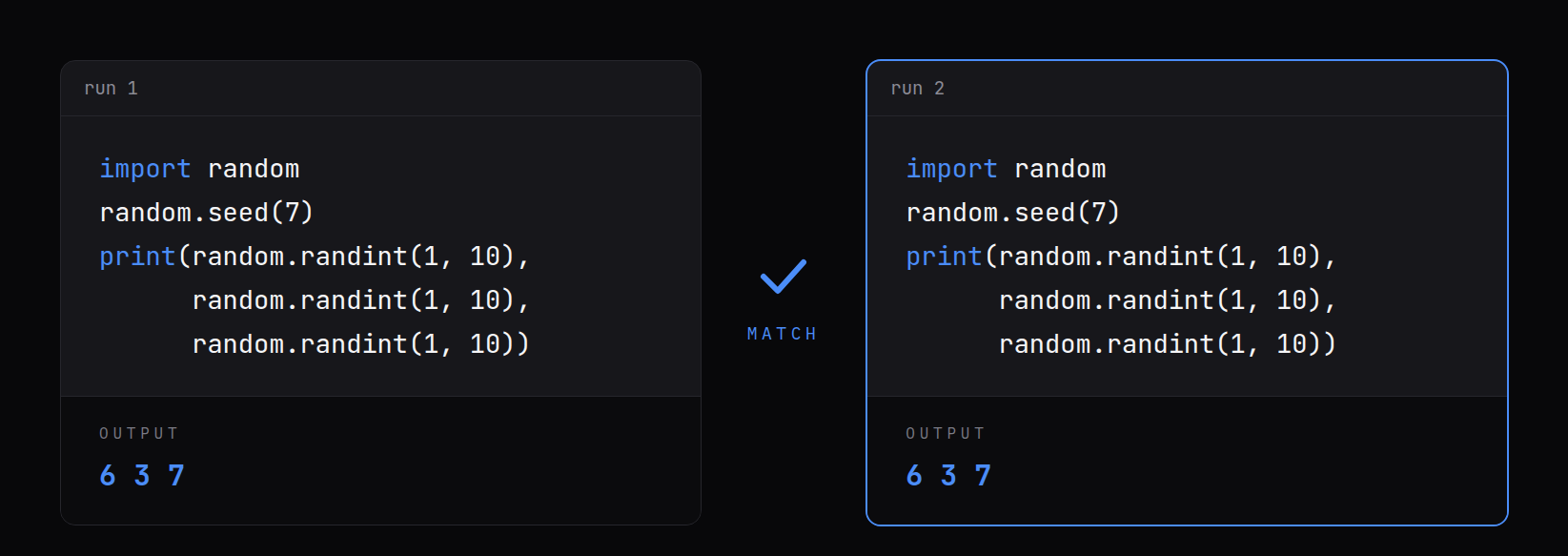
It prints 6 3 7. Run it again and it prints 6 3 7 again. Every time, on my machine, with this version of Python.
That is the property I care about in my field, stated in four lines of code. A result that only happens once, that nobody else can reproduce from the same starting point, is a weak result. Sampling, test data and simulations all use randomness, and the seed is what turns "it came out this way once" into "run it again and see." I now treat an unrecorded seed the way I would treat an unrecorded tool version: the result may be fine, but I can no longer show it.
Text is numbers too
The chapter spent one short section on how text is stored, and it quietly explained a lot. Every character is a number, a code point. ord("A") is 65, ord("a") is 97, and chr(90) is "Z". Upper and lower case are different numbers, which is why a comparison can fail on text that looks identical to a human.
The more practical lesson was the backslash. Inside a normal string, a backslash starts an escape sequence, so \t becomes a tab and \n becomes a new line. That is a trap for anyone who works with Windows paths all day:
print("C:\tools\new_exports")
print(r"C:\tools\new_exports")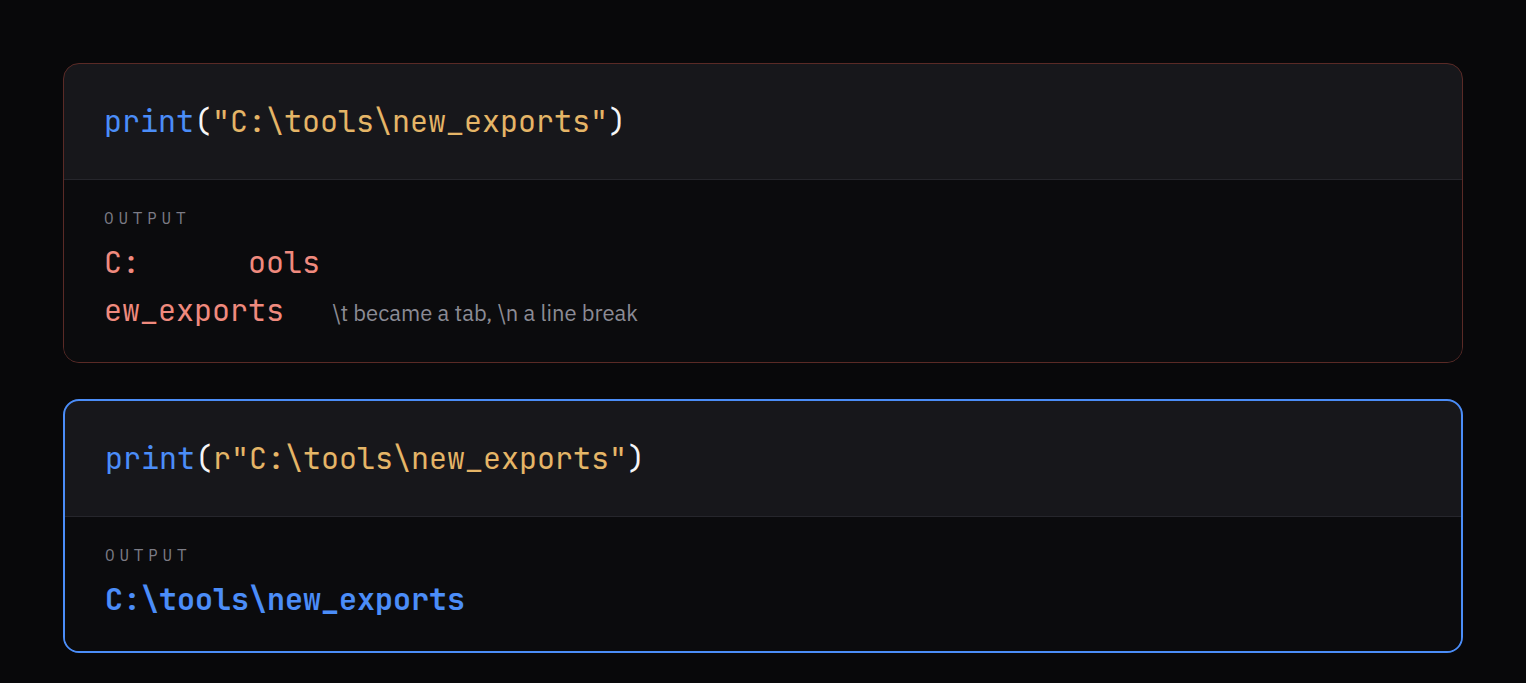
The first line prints C:, a tab, ools, then a line break and ew_exports. No error. The path is simply wrong. The r in front makes it a raw string, where a backslash is just a backslash, and the second line prints the path exactly as typed.
That is the same family of bug as text that looks like a number: nothing crashes, and the value is not what I wrote.
Where the values live
The last big idea was containers: types that hold other values. There are four common ones, and the chapter's real lesson was that choosing among them is a decision about what is allowed to happen to the data.
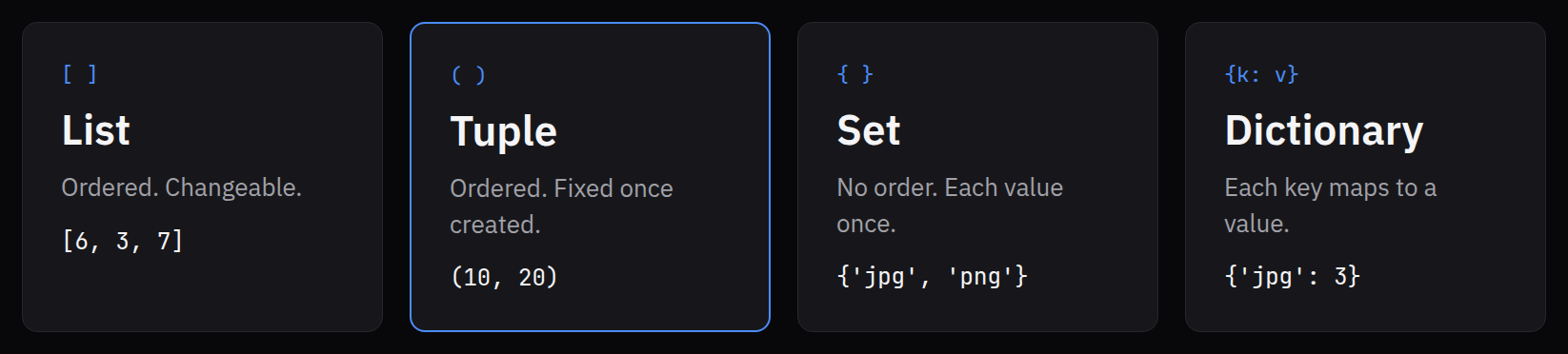
- A list is ordered and changeable. Items can be added, removed, and replaced. It is the default, and most of my old scripts used nothing else.
- A tuple is ordered and cannot be changed once it is created.
point = (10, 20)followed bypoint[0] = 15stops withTypeError: 'tuple' object does not support item assignment. That error is the point. When a value should never be edited, a tuple makes the program enforce it. - A set holds each value once, in no particular order. It is the fastest way to answer "what distinct things are in here?"
- A dictionary maps keys to values, like a word to its definition. Asking for a key that is not there stops with a
KeyErrorinstead of quietly handing back nothing.
The set was the one I could use immediately:
extensions = ["jpg", "png", "jpg", "heic", "png", "jpg"]
unique = set(extensions)
print(len(extensions), len(unique), sorted(unique))
That prints 6 3 ['heic', 'jpg', 'png']: six entries, three distinct types. I sorted it before printing on purpose. A set has no order, and printing one directly can show the same three values in a different order from one run to the next. "Same answer" includes the order you present it in.
Conversions cut, they do not round
Converting between types came back for a second pass, with a detail I had wrong in my head. int(4.9) is 4, not 5. int(-4.9) is -4. Converting a decimal to a whole number drops the fraction; it never rounds. If rounding is what I mean, round(4.9) gives 5, and I have to ask for it.
And int("4.9") does not produce 4 at all. It stops with a ValueError, because the text is not a whole number. int() is stricter with text than with numbers, which is exactly backwards from what I would have guessed.
Binary got a short section too. Eight bits can hold the values 0 through 255, and Python can show the same number in different bases: f"{255:b}" is 11111111, and f"{255:x}" is ff. Hexadecimal is everyday reading for an examiner, so this was comfortable ground. What was new was producing it myself instead of reading it off someone else's tool.
One formatting feature earned a permanent place in my habits. Adding = inside an f-string prints the name along with the value: f"{total_bytes=}" prints total_bytes=4096. It is a debugging line that labels itself, so there is no guessing later which number came from where.
Build it in steps you can check
The chapter closed with a small practice lab built in steps: make step one work, confirm it, then add step two. It is the same rule I wrote about in my first Learning note on order and precision, now with a name, incremental development. After a chapter of quiet failures, I understand why it is taught before anything complicated. The smaller the step, the smaller the place a quiet error can hide.
What I am applying
- Put constants in one place. A module with named values, imported where needed, instead of the same number typed in five scripts.
- Guard anything that runs on import. If a file does real work, that work goes under
if __name__ == "__main__":. - Record the seed. Any script that uses randomness sets its seed and prints it, so the result can be reproduced.
- Write Windows paths as raw strings.
r"C:\...", every time. - Choose the container for what the data may do. A tuple for values that must not change, a set for distinct values, a dictionary for lookups, a list for everything else.
- Round on purpose.
int()cuts. If I mean rounding, I writeround(). - Label debug output.
f"{value=}"instead of a bare number.
What this insight does and does not support
- Observed. The second half of an introductory Python chapter covered modules, pseudo-random numbers and seeds, how text is encoded, escape sequences and raw strings, the four common containers, type conversion, binary, and incremental development. The examples here were run on Python 3.11 and printed what is shown.
- Provides context. For a learner who already works with evidence or data, these topics map onto familiar questions: where data lives, what is allowed to change it, and whether a result can be reproduced. Seeing that overlap can make the material stick.
- Not established by this piece alone. This is one learner's notes on introductory material. It is not guidance on validating forensic tools, not a claim about how any agency writes or tests software, and not evidence that these habits make any program correct or defensible.
Check the same things in your own code: run it twice from the same starting point, and see whether you get the same answer.